TL;DR
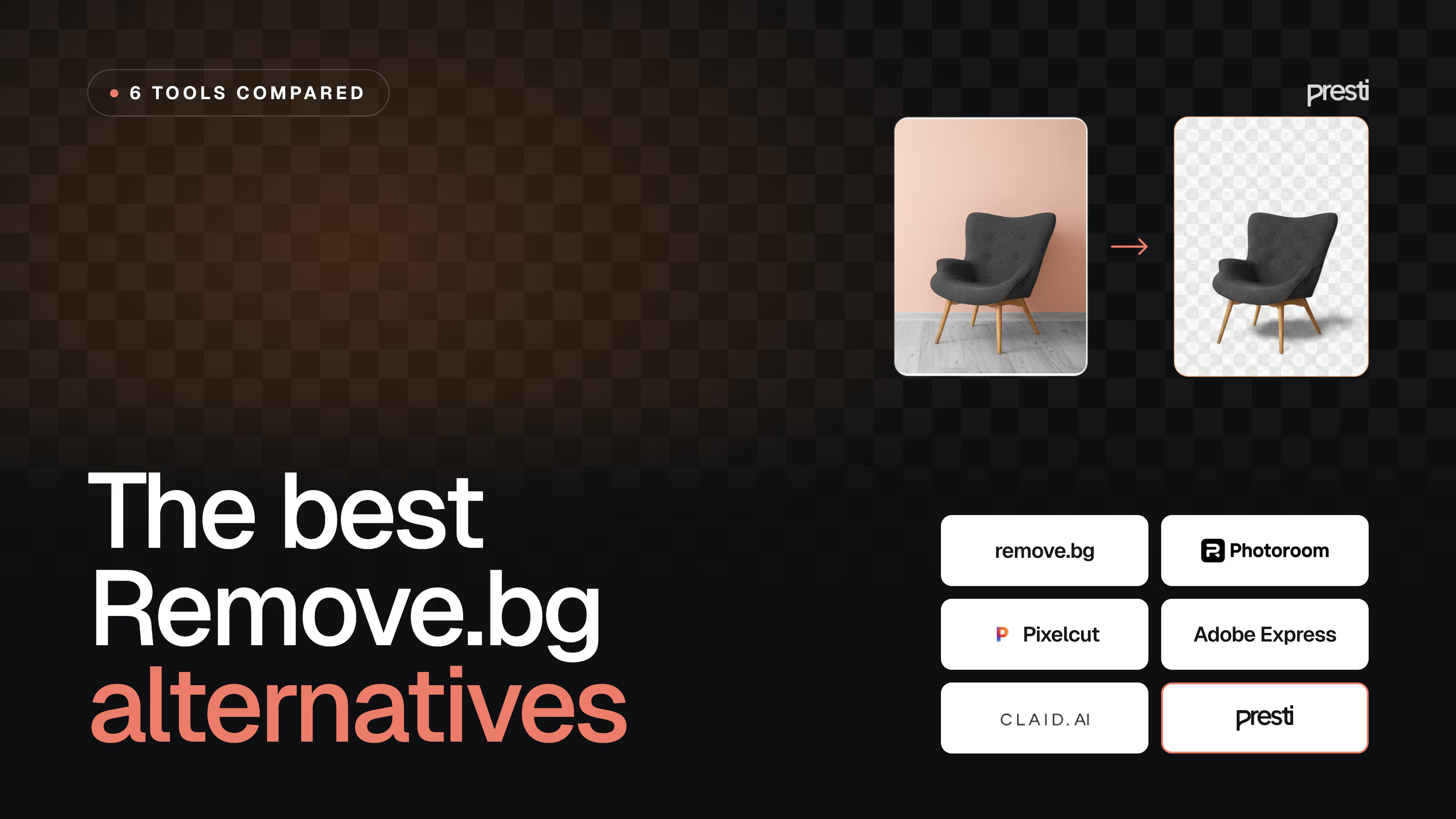
- The best Remove.bg alternative depends on the job: if you just want a cheaper or fuller cutout, Pixelcut; if you need more than a cutout (product photography, on-model shots and video at scale), Claid AI or Presti.
- Pixelcut is best for solo sellers on a budget, because it gives unlimited background removal and upscaling (AI generations are metered), a commercial license and a watermark-free free tier, from $10 a month.
- Photoroom is best for marketplace sellers, because it adds product-specific modes (Ghost Mannequin, Virtual Model, Product Staging) to fast mobile cutouts.
- Adobe Express is best for teams already in the Adobe world, because it puts background removal and generative fill inside a full design suite from $11.99 a month.
- Claid AI is best for e-commerce and fashion teams, because it turns plain shots into photoshoot-quality images at scale, through an app or an API.
- Presti is best for retailers and brands, because it produces photoshoot-quality product photos, 360° spins and video, on-brand and at catalog scale, from a single product photo, through the app or an API.
Remove.bg does one job well, so why look elsewhere?
Remove.bg is the reflex for one task: drop in an image, get back a clean transparent cutout. It does that fast, at volume, and through an API, which is exactly why it is everywhere. So the question is not whether it removes backgrounds well. It is whether background removal is still all you need.
Because “Remove.bg alternatives” is really two searches in one. The first is for a cutout tool that is cheaper, more flexible, or bundled with a few extras you already reach for. That is where Pixelcut, Photoroom and Adobe Express sit. The second is for teams who have realised the cutout was never the goal: they need finished product visuals, lifestyle scenes, on-model shots and video, on-brand and at volume. That is a different category, and it is where Claid AI and Presti come in.
So the fastest way to shortlist is to decide which search you are actually running. If you just want a better cutout, stay close to Remove.bg and pick on price and features. If you want to stop editing images one at a time and start producing them, look at the tools built for that. This guide compares six tools across both ends on what they do, who they suit, where they fall short and what they really cost. Presti is our own product and sits at the production end, so we hold its section to the same standard as the rest and are upfront about where it is the wrong tool.
How we compared these Remove.bg alternatives
We did not run a single scripted benchmark across all six tools, so we do not report head-to-head test scores. Cutout and generation quality depend heavily on the product you shoot, a matte mug and a mirrored bottle behave very differently, so any one score would mislead. Instead we compared the tools on the criteria that decide whether the software fits your job, all read from each vendor's own pages on 14 August 2026.
- Core job: does the tool mainly remove backgrounds, or does it produce finished product visuals and video?
- Outputs: background removal, AI scenes and staging, on-model shots, and video, plus how many the plan actually allows.
- Brand consistency and control: can you hold one look across a whole catalog, or art-direct a single shot?
- Real cost: the headline price, plus what a representative month costs once credits, export caps, seats and separately billed APIs are counted.
- Commercial rights and workflow: can you use the output commercially, on which plan, and does the tool fit how your team reviews and ships images?
One note on pricing. We quote standard monthly billing where a vendor publishes it; annual plans are usually cheaper. Where a tool sells credits, we translate the headline into a rough real cost so you see the true bill, not just the sticker price. Where a figure is not published clearly, we say so rather than invent a precise-looking number.
Remove.bg alternatives at a glance
| Tool | Type | Best for | Entry price (monthly) | Free tier | Watch-out |
|---|---|---|---|---|---|
| Remove.bg | Background-removal tool and API | Teams and developers who need clean cutouts at volume | Lite $9 (40 credits) | Preview resolution only | Cutout-first; not a product-photography or video tool |
| Pixelcut | AI photo editor app | Solo sellers wanting cheap, unlimited cutouts and upscaling | Pro $10 | Yes (no watermark) | AI generations metered by credits; light on deep art direction |
| Photoroom | Mobile-first AI photo editor | Marketplace sellers wanting fast, listing-ready images | Pro from $9.99 | Yes (limited) | AI credits and exports capped per tier; API billed separately |
| Adobe Express | All-purpose design app | Teams already in Adobe who want design plus background removal | Premium $11.99 | Yes (daily generations) | Generalist, not an e-commerce product-photo pipeline |
| Claid AI | AI product photography app and API | E-commerce and fashion teams wanting photoshoot-quality images at scale | Essentials $15 | Free trial (50 credits) | Far more than a cutout; credits spent per operation |
| Presti | AI product photography and video platform | Retailers and brands producing on-brand visuals at catalog scale | Pro from $49 | Yes (60 credits) | Oriented to volume and team workflow, not single one-tap edits |
Pricing and free-tier details verified on 14 August 2026. Entry price is the cheapest paid plan. This category moves fast, so re-check each vendor's pricing page.
The quick cutout tools: a better or cheaper detour
These three tools still centre on the cutout, but each adds something Remove.bg does not: AI backgrounds, product-specific modes, or a whole design suite. They suit a handful of images at a time rather than a full catalog, and they are cheap and mostly self-serve.
Remove.bg: the tool you are comparing against
Remove.bg is built around one job, background removal, now wrapped in a light AI photo editor. Owned by Canva (through Kaleido, acquired in 2021), it is made for speed and integration. You can drop an image in the browser, batch a folder, or call the API from your own systems, and it returns a clean transparent cutout. Recent plans add AI backgrounds, erase and restore, max-quality exports and bulk editing, but it stays a cutout-first tool: there is no product staging, on-model generation or video. For a fast, reliable cutout step, especially at volume or over an API, it is hard to beat.
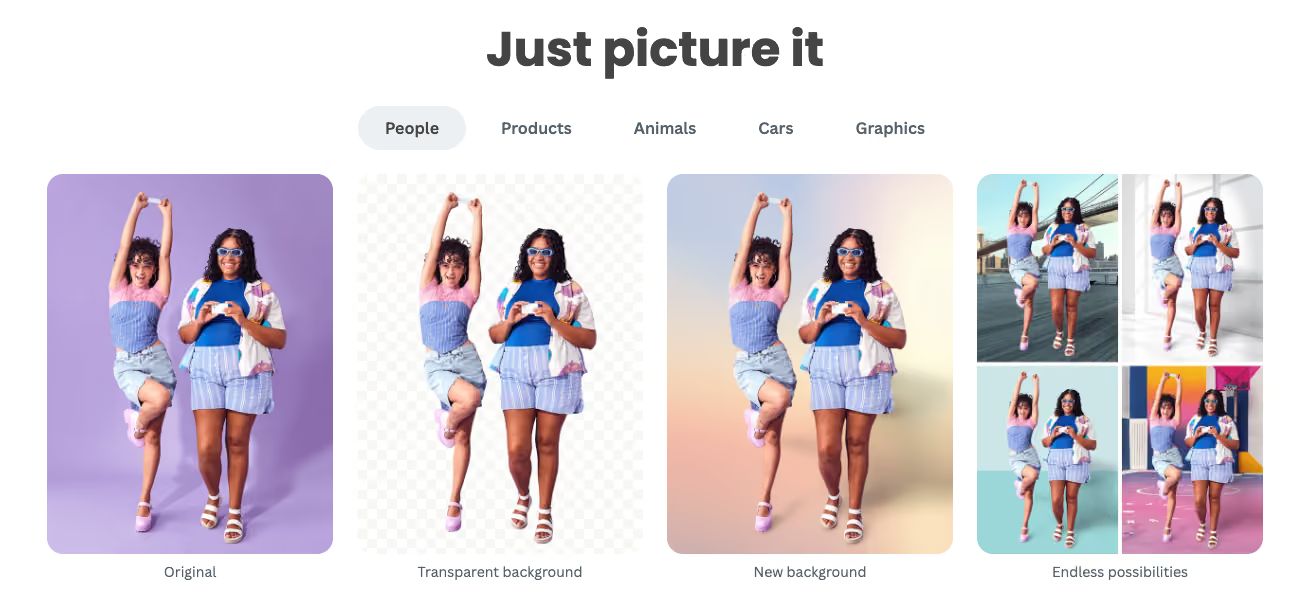
Best for: teams and developers who need dependable, high-volume background removal in an app or over an API, with only light editing on top.
Where it falls short. It stays focused on cutouts and light edits, so the moment you need product staging, on-model shots or video you will reach for another tool. Its free option only downloads at a small preview resolution, and a full-size cutout costs a credit.
Pricing. Paid plans run about $9 a month for 40 credits (Lite), $39 for 200 (Pro, which adds bulk editing) and $89 for 500 (Volume+), with one credit per full-resolution image, so roughly $0.20 to $0.22 an image. There is also pay-as-you-go from $3 for 3 credits, topped up anytime, and custom volume above 100,000 images a year. Free processing is limited to a small preview resolution.
Pixelcut: the best-value cutout alternative
Pixelcut is the closest low-cost all-rounder: a mobile and web app aimed at online sellers, pairing background removal with AI product backgrounds, an upscaler, batch editing, a magic eraser and retouch tools. Its pitch is value. The free plan exports without a watermark, and the paid plan gives you unlimited background removal and unlimited upscaling, metering only the AI generations. For a seller who mostly cuts out products and occasionally drops in a generated scene, that structure is easy on the budget.
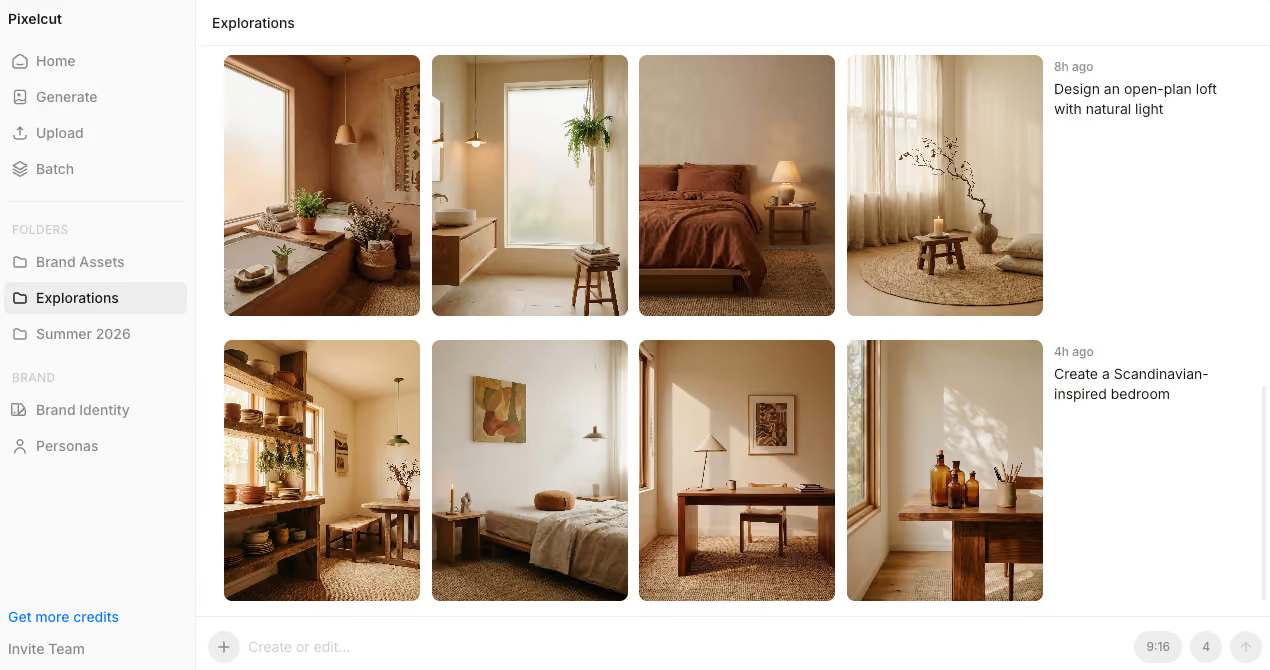
Best for: solo sellers and small teams that want cheap, unlimited cutouts and upscaling, a commercial license, and no watermark on the free tier.
Where it falls short. AI generations are metered by a monthly credit pool, so heavy scene generation runs out faster than the “unlimited” headline suggests. It is a consumer-friendly editor, so it is lighter on deep art direction and catalog-wide brand control.
Pricing. The free plan is $0 with limited background removal and upscaling and watermark-free export. Pro is $10 a month ($8 on annual) with 600 AI credits, unlimited background removal and upscaling, three seats, 1,000 batch exports a month and a commercial license. Business is $30 a month ($24 annual) with 3,600 credits, ten seats and 2,000 batch exports. Because cutouts and upscales are unlimited, the credit pool is really a cap on AI generation, so size your plan by how many generated scenes you need.
Photoroom: cutouts plus e-commerce modes
Photoroom is a mobile and web app built around speed and simplicity. Its core is one-tap background removal, with AI backgrounds, Product Staging, a Virtual Model, Ghost Mannequin and Flat Lay modes, AI Shadows, Retouch and an Image Enhancer layered on top. It has a separate REST API, Zapier and Make integrations, and Shopify publishing on higher tiers. In 2026 it moved to a credit model: each plan bundles a monthly pool of AI credits plus a cap on exports. It is very good at what it is for: quick, clean, listing-ready images without opening a desktop editor.

Best for: solo founders and small Shopify or marketplace sellers who need a clean, listing-ready image fast, mostly from a phone.
Where it falls short. On complex or reflective products, AI lifestyle scenes are the hardest case for any generative tool, so test your hardest item first. The low headline price also hides real cost once AI credits, export caps and separate API billing stack up, and it is built for editing images, not for producing an on-brand catalog at scale.
Pricing. Pro starts at about $9.99 a month (roughly 4,250 AI credits and 1,000 exports), with Max and Ultra tiers above it that add more credits and exports, the Video Generator, Shopify publishing and 4K. Enterprise is custom and adds Adjustable AI Shadows and SSO. The free plan is limited.
Adobe Express: background removal inside a design suite
Adobe Express is the generalist here. It is a full design app, social posts, flyers, presentations and short video, with one-click background removal and Firefly-powered generative fill and text-to-image built in. It is not a dedicated product-photography tool, but for a marketing team that already lives in the Adobe world, it removes the need for a separate cutout app and keeps assets, fonts and brand kits in one place. Firefly also carries commercial-safe generation, with IP indemnification offered on select business plans.
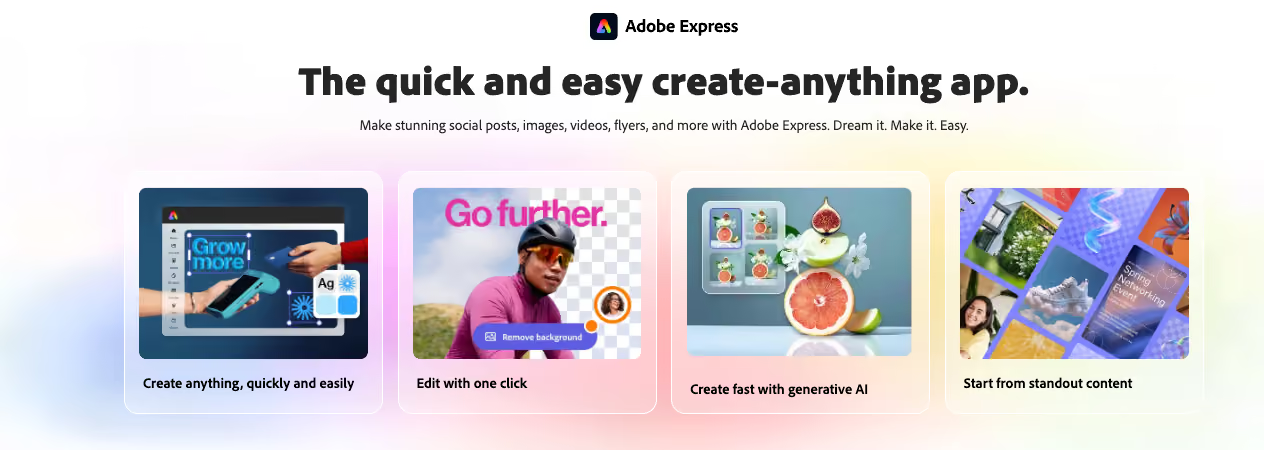
Best for: marketing and content teams already using Adobe who want background removal and generative editing inside a broad design suite, not a standalone tool.
Where it falls short. It is a design app, not an e-commerce product-photo pipeline, so it has no catalog staging, no on-model product shots and no batch product workflow. Generative use is capped by a monthly credit allowance.
Pricing. The free plan includes background removal, daily generative credits, 5 GB of storage and a large template library. The individual Premium plan is about $11.99 a month, with 250 generative credits, premium templates, Adobe Stock access, one-click resize and brand kits. Business and Enterprise plans add team brand controls, more storage and, on select plans, IP indemnification for Firefly content.
The production tools: more than a cutout, at scale
The other end of the line is not about removing a background faster. It is about producing finished product visuals, and video, without a studio. The two tools below take that in different directions: Claid AI toward automated editing and photoshoot-style images through an app or API, and Presti toward on-brand output across a whole catalog with team review.
Claid AI: photoshoot-quality images at scale
Claid AI is an AI product photography and photo-editing platform, available as an app and an API. It goes well beyond a cutout: AI Photoshoot drops your product into editorial and lifestyle scenes, AI Fashion turns a garment into on-model shots, and it adds background removal, AI backgrounds, image enhancement and upscaling in native 4K, plus an object eraser, image expansion and image-to-video. It leans on automation and scale, with batch processing and a developer API. Its site reports 10,000+ businesses and 200M+ images edited, and names Printify, Rappi and Mixtiles as customers.
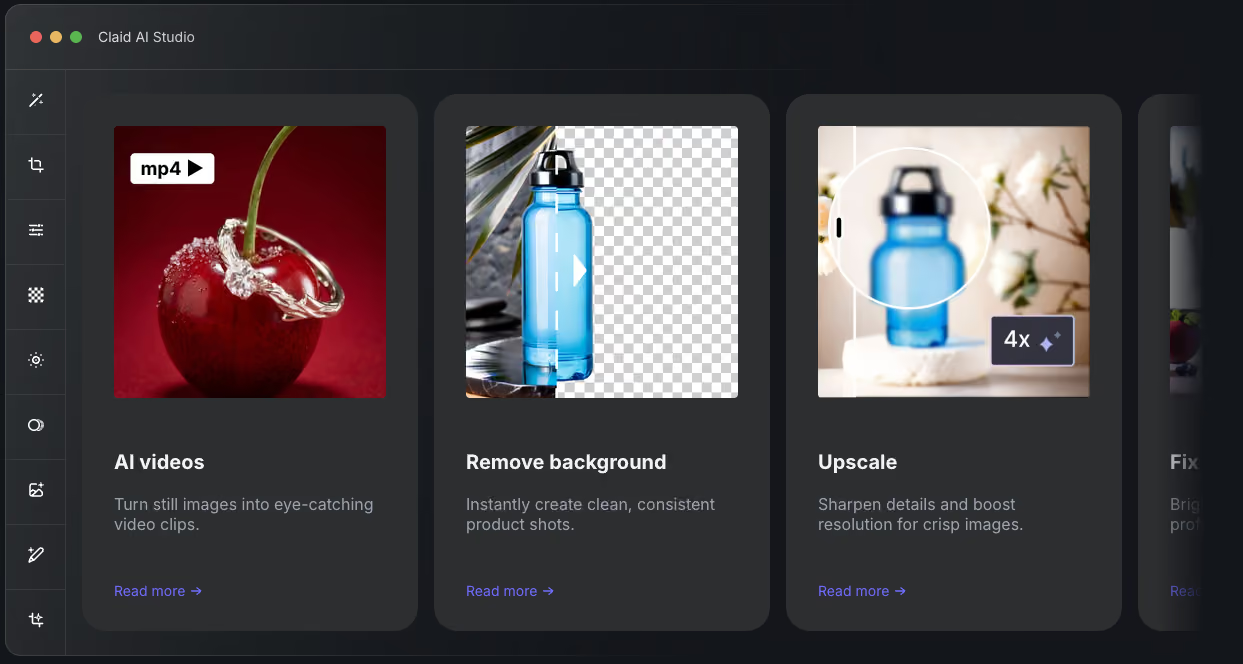
Best for: e-commerce, marketplace and fashion teams that want AI product photos, on-model shots and image enhancement at scale, through an app or an API.
Where it falls short. It does far more than remove backgrounds, so it is overkill, and pricier, if a clean cutout is all you need. Credits are consumed at different rates per operation (a cutout costs little, an AI Photoshoot or a video far more), so map your real mix of tasks before committing to a plan.
Pricing. A free trial gives 50 credits. Essentials is $15 a month for 500 credits (standard resolution up to 2K), and Pro is $49 a month for 2,000 credits (adding 2K/4K generation and uploads up to 64 MP), with a custom Business plan. Credits are spent per operation, roughly one credit for a background removal, four for an AI Photoshoot image, and about 35 for a five-second video, so the real cost depends heavily on your task mix.
Presti: on-brand product photography at catalog scale
Full disclosure: Presti is our own tool. We hold this section to the same factual standard as the others and are upfront about where it is not the right fit.
Presti is our AI visual production platform for product photography and video. You give it a product photo and a brief, and an agent generates the visuals: packshots, lifestyle staging, 360° spins, product swaps and image-to-video. A Brand Skill encodes your visual identity once, so a large catalog stays on-brand, which is the part a cutout tool does not try to solve. It routes each task to a fitting model, exports up to 4K (8K with upscaling) and video to 1080p, and wraps everything in a team workspace with roles, comments and approvals. If your need is background removal but across thousands of products, Presti can run it at scale through a tailored plan, so it is worth contacting the team rather than sizing it from the self-serve tiers. Named customers on its site include But, Ashley and Wayfair.
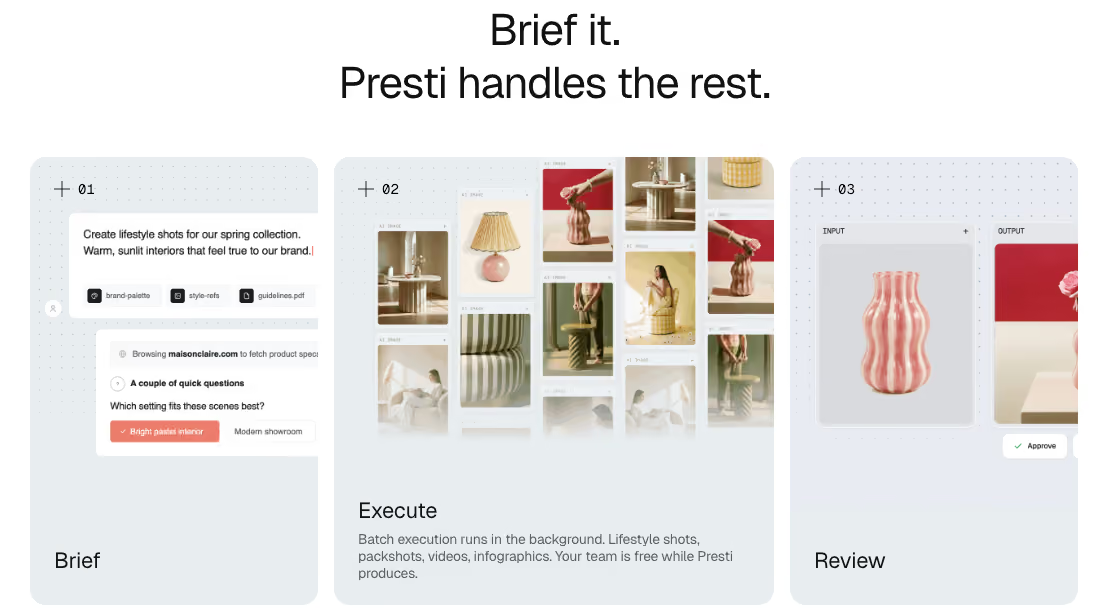
Best for: retailers, marketplaces and brands that need on-brand product photos, 360° spins and video at catalog scale, with team review built in.
Where it falls short. Presti is oriented toward producing at volume and managing it as a team, with projects, roles and in-context review, so its strengths show most when you are generating regularly rather than editing a single image now and then. Like any generative tool, very complex or highly reflective products can sometimes need a second pass.
Pricing. A free plan gives 60 credits a month, about 20 images or 2 videos, with full agent access, one Brand Skill and the collaborative workspace. Pro starts at $49 a month for 500 credits, about 166 images or 16 videos, and you can select a higher credit volume; it adds credit rollover, on-demand top-ups and unlimited content storage, shared across unlimited users. An image is 3 credits and a video 30, so on Pro that is about $0.30 an image or $3 a video. For larger volumes, Enterprise and a done-for-you Managed Services option are custom, with SSO/SAML, API access, a dedicated CSM and an SLA, and per-image rates that come down toward $0.20.
Which Remove.bg alternative should you choose
Start with the job, not the logo. Do you just need a cleaner or cheaper cutout, or more than a cutout?
- Stay close to Remove.bg if the cutout is the whole job. Pixelcut is the best value, with unlimited background removal, upscaling and AI backgrounds from $10 a month, Photoroom adds product-specific modes for marketplace sellers, and Adobe Express fits if you already work in Adobe.
- Move up to production when you need finished visuals, not just cutouts. Claid AI suits automated, photoshoot-style editing at scale through an app or API, and Presti suits on-brand product photos, 360° spins and video across a whole catalog, with review built in.
- Not sure? Many teams keep a cheap cutout tool for one-offs and add a production tool for the catalog. There is no rule against running both.
Whichever end you land on, test it on your own products first. Fidelity on your hardest item, a reflective bottle, fine label text, a specific brand color, matters more than any headline feature. Start on a free tier or trial where one exists, run your toughest assets through it, and only then commit to a plan.
Further reading: AI product photography tools: 6 compared for 2026.
What is the best alternative to Remove.bg?
There is no single winner, because it depends on the job. For a cheaper or fuller cutout, Pixelcut is the best value and Photoroom adds e-commerce modes; for background removal inside a design suite, Adobe Express fits. If you need more than a cutout, Claid AI and Presti produce finished product photography and video at scale rather than just removing backgrounds.
Is there a free alternative to Remove.bg?
Yes. Pixelcut has a free plan that exports without a watermark, Adobe Express removes backgrounds and gives daily generative credits for free, Claid AI offers a free trial (50 credits), and Presti gives 60 free credits a month. Remove.bg's own free tier only downloads at a small preview resolution. Free tiers are best for testing; check the commercial-use terms before you rely on them for listings.
What is the cheapest way to remove backgrounds at volume?
For high cutout volume, Pixelcut is usually the most cost-effective, since its $10 a month Pro plan includes unlimited background removal. Pixelcut and Adobe Express also remove backgrounds on their free tiers. Remove.bg itself is about $9 a month for 40 images (around $0.22 each), or pay-as-you-go from $3, which suits lower volumes or API use.
Remove.bg vs Photoroom: which should I use?
Use Remove.bg if all you need is background removal, especially at volume or through an API, since that is its focus. Use Photoroom if you also want AI backgrounds, product staging and other e-commerce edits in one app. Remove.bg does the cutout very well; Photoroom does more, for a bit more setup.
Remove.bg vs Pixelcut: which is better?
Both are cheap, but they aim differently. Remove.bg is a lean, API-first cutout tool. Pixelcut, at around $10 a month, adds unlimited background removal plus AI backgrounds, upscaling and batch editing, so it is better value if you want more than a cutout. Choose Remove.bg for pure API cutouts, Pixelcut for an all-round seller app.
What is the best Remove.bg alternative for product photography at scale?
For finished visuals rather than cutouts, look at Claid AI and Presti. Claid AI automates photoshoot-style images and enhancement through an app or API, and Presti generates on-brand product photos, 360° spins and video across a catalog with team review built in. Both go well beyond background removal, which is the point once a cutout is no longer enough.
Can I use images from these tools commercially?
Usually yes on paid plans, but check the tier. Pixelcut includes a commercial license from its Pro plan, and Claid AI and Presti allow commercial use on their paid plans. Adobe Firefly generation is designed to be commercial-safe, with IP indemnification on select business plans. Remove.bg's paid credits cover commercial use, while its free tier is preview-only. Always confirm the current terms on each vendor's own page before publishing.

Updated on August 14, 2026
by Maximilien Lefevre
Chief of design at Presti, where he helps teams turn a rough idea into a finished product visual. He works with AI image and video models every day and knows the generation canvases these guides compare from the inside. Based in Paris.
Ready to enrich your entire catalog?
See how Presti generates every visual your PDPs need at any scale, automatically.